Shinyness in textures?
Come here for tutorials and 3d training. The aim is to point out good 3d training sites or methods.

Moderators: Winterhawk99, Mermut, Bannor Bloodfist

Izk The Mad
Posts: 100
Joined: Fri Jun 06, 2008 8:40 pm

Shinyness in textures?

Post by Izk The Mad »

Bannor Bloodfist wrote:Anything any of us can do to make the learning experience easier will only help us all out!

Exactly what I was thinking. I've always tried to find good tutorials or helpful posts before asking for help. This is also why I've been sharing my progress and findings here all the time, along with all the encouragement and suggestions I'm getting, of course. I think I'll wait until my set's done, but I've been taking notes, so once I am finished I should have some halfway decent experience to share. I still have some things to work out. I need to further test the viewable area, and I'm just getting into using the fog color, which has a lot of potential for future skies.

I do have a question to ask. Can anyone tell me what the "shininess" should be for a skybox mdl? I recently noticed that in Wordpad. The mdl I'm using is set at a shininess of 12, and it made me wonder about a couple of the seam issues I've had, where the textures matched but there was a shadow effect visible in the corner. I'm curious about a few of those settings, like inheritcolor and transparencyhint. They sound like they have potential. I'm not looking for a personal tutorial, but can I do anything interesting with these?

Izk The Mad
Posts: 100
Joined: Fri Jun 06, 2008 8:40 pm

Post by Izk The Mad »

Wow, my post migrated over to this forum. Methinks gremlins are at work. Good gremlins, though. I'm sure it belonged here. :D

Chandigar
Posts: 153
Joined: Fri Apr 01, 2005 6:00 pm
ctp: No
dla: No
TBotR: No
nwnihof: No
Contact:

Post by Chandigar »

Izk The Mad wrote: where the textures matched but there was a shadow effect visible in the corner.
I believe this is caused by smoothing groups. If adjacent sides of a mesh are in the same smoothing group, the engine tries to "smooth" the transition between them. If the transition is abrupt (like the corners of a box) the smoothing puts big shadows in the corners.

Izk The Mad
Posts: 100
Joined: Fri Jun 06, 2008 8:40 pm

Post by Izk The Mad »

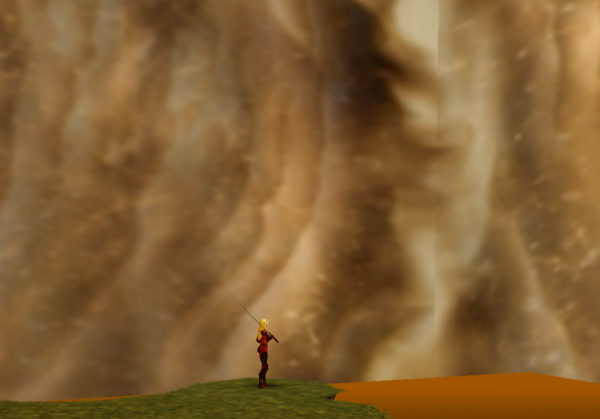
Thanks for the reply. Do you mean shadows like this, for example?

Image

I ended up darkening that seam to hide that, but I lost a lot of the detail in the process.

I'm still curious about shininess, but even more so about transparencyhint and inheritcolor. Sorry if I'm being lazy by not looking it up, but I just want to know if these are anything I can use for skyboxes, before I try to research it further. Using the fog color with the "blending additive" .txi has had some interesting results. I was wondering if there was anything else I could do to create new effects using lighting/fog colors or transparency.

I found an interesting tutorial here about alpha channels which, as I understand it, is how the blending additive works. Unfortunately, the tutorial was never finished. :(

Izk The Mad
Posts: 100
Joined: Fri Jun 06, 2008 8:40 pm

The gremlins are slacking

Post by Izk The Mad »

Chris responded with this over on my other thread. Since the forum gremlins haven't moved it, I copied it here. I might as well keep all this together for future reference.
Christopher wrote:Do you use gmax or 3dsmax? Try clearing all the smoothing groups (reset all) and see if the shading goes away. That's my 1st thought. I don't know much about the other settings. I think they have to do more with the alpha settings.

I mainly use WordPadMax. :D I do have Gmax, and I've played around a bit with mdls. I've been too busy with other things to learn how to use it properly, though. I'm not that concerned about the smoothing or the shadows at the moment, more curious, and curious about the settings themselves. I will have to try that sometime, though. That one skybox in particular looked better with the detailed edges, before I darkened and blurred them to hide the shadow.

Alpha settings are something I'd be interested in. I still don't fully understand what I'm doing with that "blending additive" txi. I know it basically allows the fog color to blend with the texture, and maybe that's all there is to it. I'm wondering what else I can do with the alpha settings/channel. I think I'd like to be able to change the alpha channel itself, somehow. Right now, the white in the texture is excluded. I'd like to maintain the black in a few ideas I have, and still have the color change.

I guess I should ask if anyone knows of a nice, simple guide to these settings? I'm not looking for a full blown NWmax tutorial at the moment. Just some guidelines, like a reference list or something of that nature, if it exists. Something I can use with "WordPadMax". :) Thanks!

User avatar
Christopher
Posts: 270
Joined: Wed Jan 05, 2011 10:21 pm
ctp: No
dla: No
TBotR: No
nwnihof: No

Post by Christopher »

I do not use Gmax. But in general you would need to select all the faces on the object (skybox). Then on the right rollout go down to the Smoothing parameters and select clear all.

That's a pretty shoddy description from memory. You can also use a smooth modifier but then you have to collapse the stacks and so on...

Izk The Mad
Posts: 100
Joined: Fri Jun 06, 2008 8:40 pm

Post by Izk The Mad »

Yeah... I, um wouldn't want to collapse the stacks... *scratches head* Just teasing, and thanks. While that bits a little beyond me, I did go ahead and look at that sky in Gmax. I found some options for Smoothing groups, but no option to reset. I also found the settings I was talking about, in the Aurora trimesh modifier. While I didn't really notice any difference playing with the shininess or the other two in the Gmax window, I did notice the alpha setting, which goes down from 1.0 in tenths, actually affects the transparency. I have to experiment more with that. I think I also need to find a good tutorial on .txi's. I was looking at a few in xp3.bif, and there's some interesting settings there I'd like to learn about.

Izk The Mad
Posts: 100
Joined: Fri Jun 06, 2008 8:40 pm

shininess

Post by Izk The Mad »

I had to follow up on "shininess". In playing with my horses, I found it controls how much of the lighting is reflected on the texture, which makes perfect sense, but I'm wondering why the skyboxes are set so high, to 12. I had one of my horses set to 10, and it picked up a lot of the light on it's surface, including my pc's red glow. So I'm setting my skyboxes to 0. I thought I'd share this for future reference. :thumb:

Chandigar
Posts: 153
Joined: Fri Apr 01, 2005 6:00 pm
ctp: No
dla: No
TBotR: No
nwnihof: No
Contact:

Post by Chandigar »

Izk The Mad wrote:I had to follow up on "shininess". In playing with my horses, I found it controls how much of the lighting is reflected on the texture, which makes perfect sense, but I'm wondering why the skyboxes are set so high, to 12. I had one of my horses set to 10, and it picked up a lot of the light on it's surface, including my pc's red glow. So I'm setting my skyboxes to 0. I thought I'd share this for future reference. :thumb:
Hrmm actually thats interesting. Does anyone know if NWN uses a channel or texture for shininess? I've noticed that a lot of the stock textures appear to have more depth than a standard tga texture, but wasn't sure how they got that.

Also, as a side note, you can turn self illumination to max in which case the object won't receive any shadows at all and it'll always be brightly visible.

Izk The Mad
Posts: 100
Joined: Fri Jun 06, 2008 8:40 pm

Post by Izk The Mad »

Chandigar wrote:Hrmm actually thats interesting. Does anyone know if NWN uses a channel or texture for shininess? I've noticed that a lot of the stock textures appear to have more depth than a standard tga texture, but wasn't sure how they got that.

Found something new to add to this. The horses use an Alpha channel within the texture for metal shininess. I had been trying to figure out why the DLA horses had shiny metal armor, and finally opened one of the original textures in Photoshop and looked at the channels. The Alpha channel is basically all white with negative images of the armor parts in grayscale. The tga also needs to be 32 bit, instead of 24, it seems. When I saved as 24 bit the Alpha channel was left out.

Post Reply